Counter-Strike 1.6: The Ultimate Q&A Guide for Beginners and Veterans
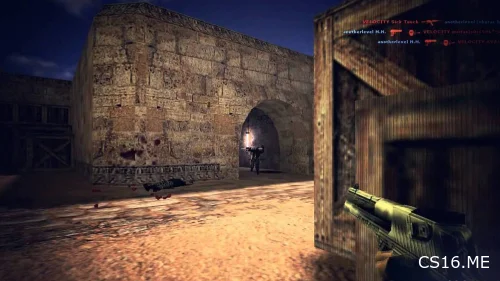
Today, we're tackling the most frequently asked questions about Counter-Strike 1.6. Whether you're just installing the game for the first time or are a seasoned veteran, this guide is packed with essential knowledge to enhance your CS 1.6 experience.
Gameplay & Mechanics
Q: How do I play with bots in CS 1.6?
A: It's simple! Just download CS 1.6 (any version from our site will do). Launch the game, select "New Game," make sure the "Add Bots" option is checked, and start the server. Bots will be added automatically when the map loads.
Q: How do I buy weapons in CS 1.6?
A: Press the B key to open the buy menu. We recommend these quick buy combinations:
-
B-4-2: AK-47
-
B-4-3: M4A1
-
B-1-4: Desert Eagle
-
B-4-5: AWP Sniper Rifle
-
B-6-2: Kevlar + Helmet
-
B-8-4: HE Grenade
Q: How do I defuse the bomb in CS 1.6?
A: Press and hold the E key (the +use command). Remember, only Counter-Terrorists can defuse the bomb.
Q: How do I walk silently in CS 1.6?
A: Hold down the SHIFT key (+speed) to walk quietly. To silently go up ladders, you need to hold CTRL (+duck) to crouch while on them.
Q: How do I throw (drop) my current weapon?
A: Press the G key. This is useful for giving a weapon to a teammate.
Q: How do I use the microphone for voice chat?
A: By default, the key to talk is K. Before using it, go to the voice configuration settings to set up your microphone volume and check if it's working.
Crosshair & Visual Settings
Q: How do I make a small, static crosshair in CS 1.6?
A: Open the console and paste these commands:
cl_crosshair_size small; cl_dynamiccrosshair 0; cl_crosshair_translucent 0
Q: How do I remove the dynamic crosshair?
A: Use the console command: cl_dynamiccrosshair 0
Q: How do I remove the HUD and crosshair completely?
A: Use the console command: hud_draw 0 (Use the same command with value 1 to bring it back).
Q: How do I switch to the right-handed weapon model?
A: Open the console and type: cl_righthand 1 (Use 0 to switch back to left-handed).
Q: How do I increase brightness?
A: You can adjust it in the Video Settings menu, or use these console commands for a stronger effect:
mat_monitorgamma "2.5"; mat_monitorgamma_tv_enabled "1"
Console, Binds & Configuration
Q: How do I bind a key in CS 1.6?
A: In the console, use the format: bind "key" "command".
-
Example:
bind "mwheelup" "+jump"(Binds jump to scrolling the mouse wheel up).
Q: How do I unbind a key?
A: Use the command: unbind "key". For example, unbind "f" removes the flashlight from the F key.
Q: How do I activate a config file?
A: Place your .cfg file in the cstrike folder and type in the console: exec your_config_name.cfg
Q: How do I change my nickname?
A: Use the console command: name "YourNewNickname"
Q: How do I connect to a server by IP?
A: Open the console and type: connect IP_ADDRESS:PORT
-
Example:
connect 145.239.2.171:27015
Maps, Bots & Servers
Q: What is the map with the pool called?
A: The famous pool map is called fy_pool_day. Its sequel is fy_pool_day2.
Q: How do I add custom maps to CS 1.6?
A: Download a map file (usually a .bsp), then place it in the cstrike/maps folder in your game directory. The map will be available the next time you start the game.
Q: How do I kill all bots via console?
A: Use the command: bot_kill
Q: Why does my FPS not go above 60?
A: First, type fps_max 101 in the console. If that doesn't help, check your graphics card settings and ensure V-Sync is disabled.
Q: Why is my ping so high?
A: If your internet is fine and the server is nearby, try entering rate 25000 in the console.
Q: How can I reduce lag when smoke grenades are used?
A: Try the console command: fastsprites 0 or fastsprites 1. You can also try setting your game to 16-bit color mode in the video settings.
Q: Why do my settings keep resetting?
A: Navigate to your cstrike folder, find the config.cfg file, right-click it, go to "Properties," and uncheck "Read-only."
Fun & Advanced Tricks
Q: How do I fly around the map?
A: In a local game, open the console and type gravity 10. Now, when you jump, you will float. To return to normal, type gravity 800.
Q: How do I open a parachute?
A: Standard CS 1.6 doesn't have parachutes. However, many modded servers (like Zombie or Fun servers) have a plugin for it. On those servers, you usually press E (+use) to deploy a parachute.
Q: How do I switch weapons faster?
A: Use the console command: hud_fastswitch 1. This makes the weapon menu instantly select and switch to the weapon you highlight.
Ready to jump back into the action? Make sure you have the best possible game client to practice all these tips and tricks.
Download the original, optimized game here:
Download Counter-Strike 1.6 Original
Or, try an enhanced version with new content:
Download CS 1.6 Mix Ep 4 Alive
Good luck, and have fun on the servers !